3D print · Free download
CatEye light mount for the Hammerhead Karoo 3
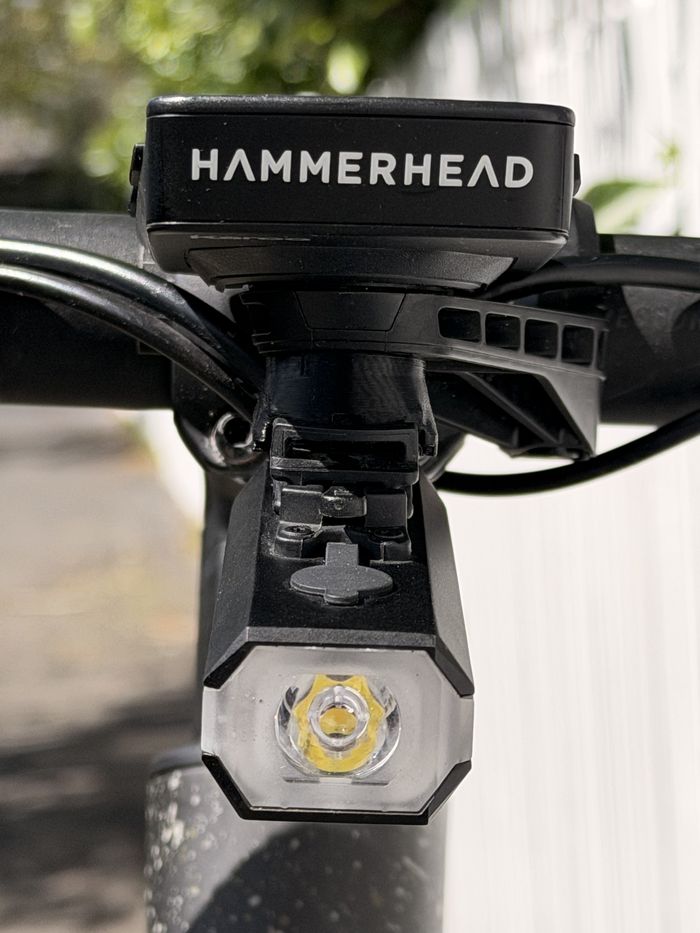
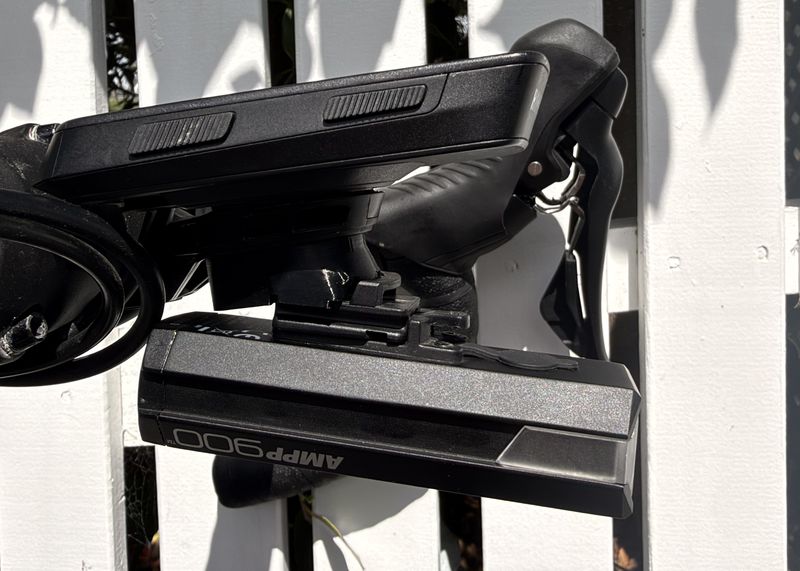
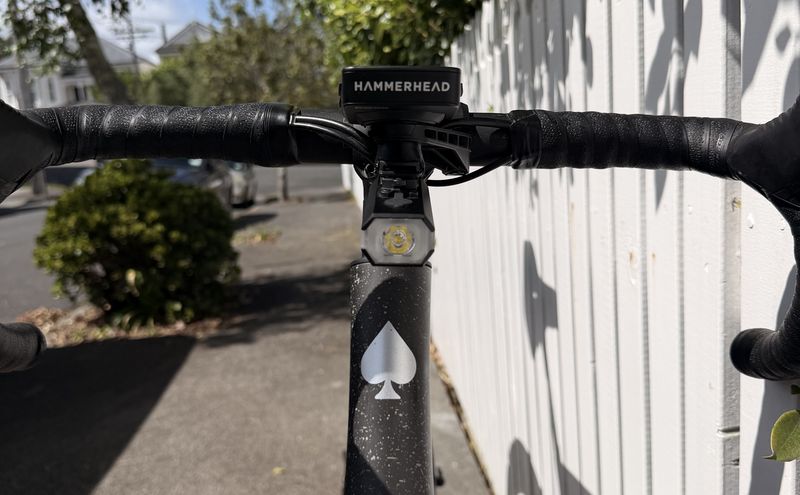
A small printed bracket that hangs a CatEye AMPP900 under the Karoo’s out-front mount, so the light sits below the computer and not on the bars.
Download STL 238 KB OpenSCAD source 8 KB
- You need
- 2 × M3 hex-head bolts, 15 mm long including the head
- Size
- 37 × 25 × 14 mm
- Weight
- About 8 g
- Supports
- None
What it does
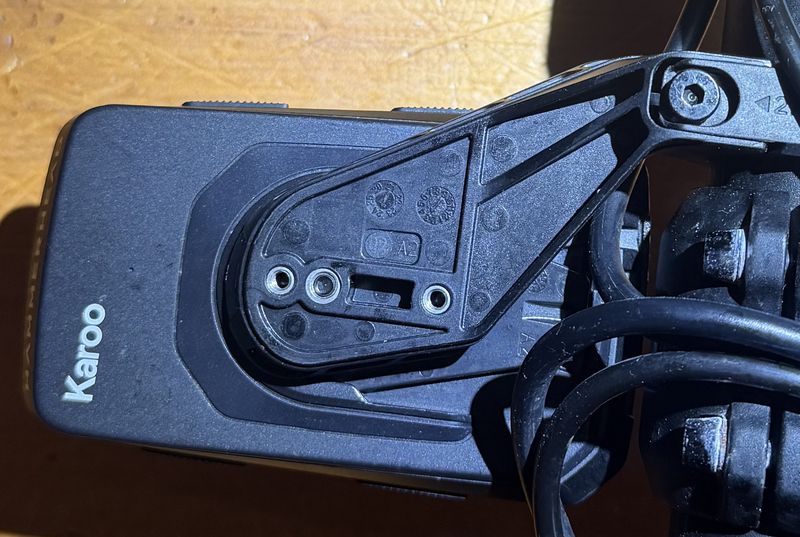
The Karoo 3’s out-front mount has threaded inserts underneath, and Hammerhead sells an adapter that turns them into a GoPro-style mount. CatEye lights don’t use GoPro tabs. They slide onto CatEye’s own rail and lock with a click.
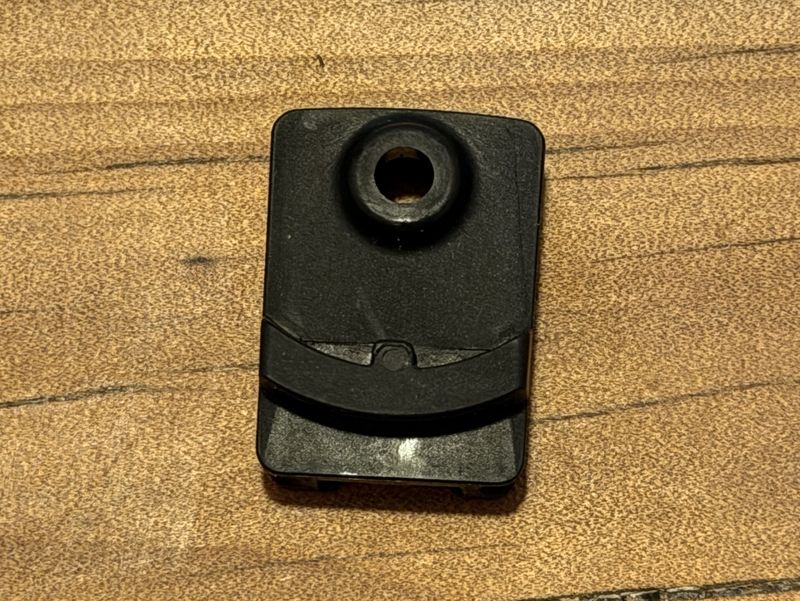
This bracket bolts to those inserts and holds the slide plate from the CatEye handlebar bracket, so the light goes on and comes off the same way it always has.
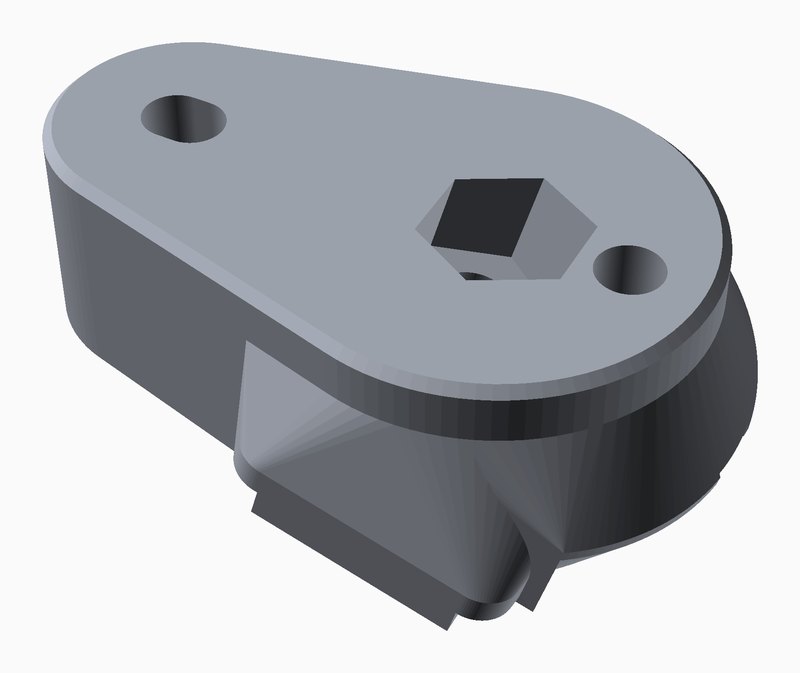
The light needs to point down a little, and it can only go so far back before its tail meets the stem. So the seat is tilted 15° nose-down, and the CatEye bolt sits between the two mount bolts, 9 mm behind the front one.
What you need
- The printed bracket.
- The slide plate and its M4 bolt from the handlebar bracket that came with the light. CatEye calls it the FlexTight bracket, H-34N.
- One M4 nut, 7 mm across the flats.
- Two M3 hex-head bolts, 15 mm long overall including the head, with heads up to 6 mm across.
- The Hammerhead out-front mount for the Karoo 3.
The inserts in the mount are 5 mm deep. With a 3 mm tall head, a 15 mm bolt reaches 3.8 mm into them, so don’t go longer.
Print it
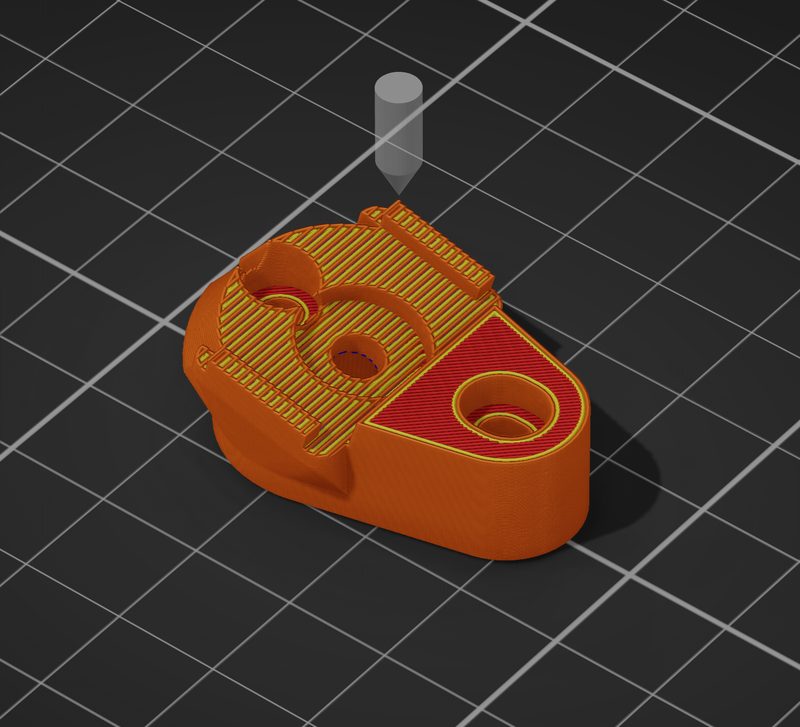
Print it with the flat teardrop face on the bed, which is how the STL is saved. It needs no supports. The only overhang is the small roof inside the nut pocket.
Use PETG, ASA or ABS. PLA goes soft in a hot car or in summer sun. The part weighs about 8 g solid, so there’s nothing to gain by going light on walls or infill.
Fit it
- Take the strap and dial off the CatEye bracket. Keep the top plate and its M4 bolt.
- Drop the M4 nut into the hex pocket in the flat face of the print.
- Bolt the bracket under the Karoo mount with the two M3 bolts, wide end to the front. The rear hole is a slot with 1 mm of play. Hammerhead rates the M3 bolts on its own adapter at 1 Nm, so go gently.
- Push the CatEye plate’s bolt up through the bracket and tighten it into the nut. The curved bar on the plate sits around the rounded nose of the bracket, and two side lips stop the plate twisting.
- Slide the light on until it clicks.
The plate covers the front M3 bolt, so the mount bolts have to go in first.

- Karoo out-front mount
- Printed bracket
- M3 bolts into the mount’s inserts
- M4 nut in its pocket
- CatEye slide plate
- M4 bolt from the CatEye bracket
- The light
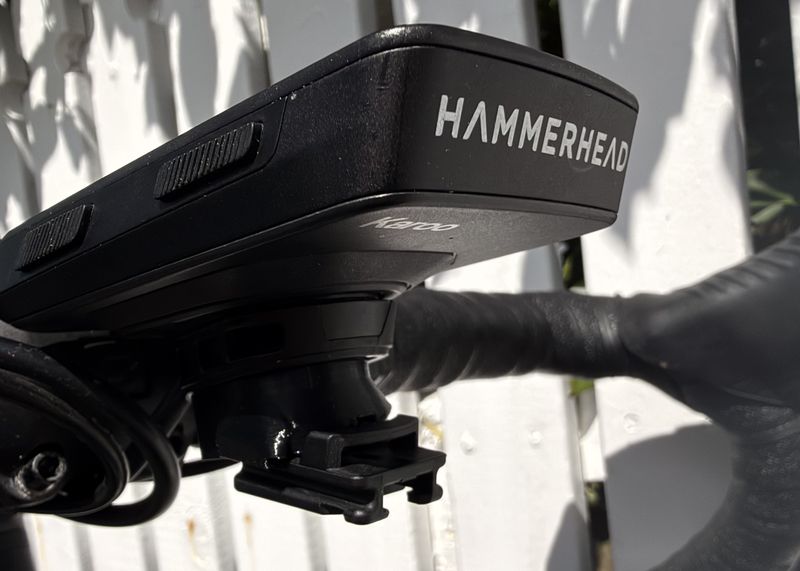
Mind the weight. Hammerhead rates its own accessory adapter at 150 g. An AMPP900 weighs 142 g and the print adds about 8 g, before the plate and bolts, so this setup is a little over that figure. Check the bolts now and then.
Which CatEye lights fit
I’ve only used it with the AMPP900. The slide plate is the one from CatEye’s H-34N FlexTight bracket, so any light that fits that bracket slides onto this mount. Whether it then clears your stem depends on how long the light is.
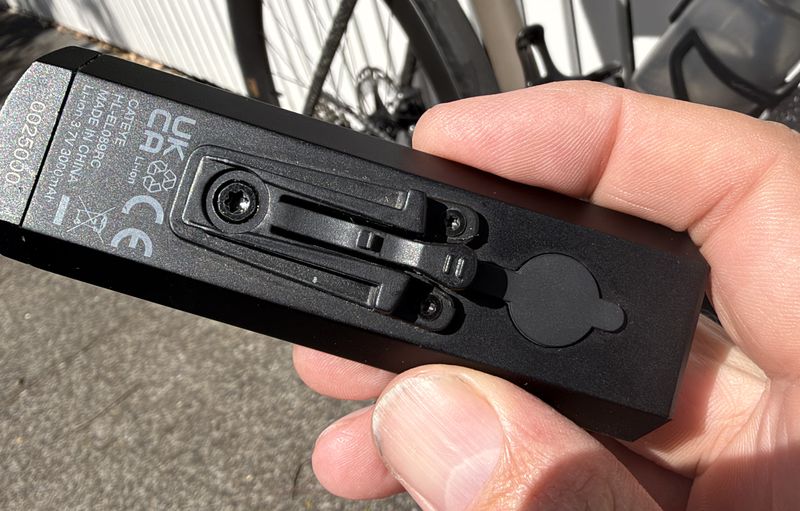
Listed by CatEye for hanging under the bar
CatEye lists these for its own Center and Aero brackets, which use the same slide and hang the light under the handlebar.
- AMPP1100HL-EL1100RC
- AMPP900HL-EL089RC
- AMPP800HL-EL088RC
- AMPP500HL-EL085RC
- AMPP500S
- AMPP400HL-EL084RC
- AMPP400S
- SYNC CoreHL-NW100RC
- VOLT800HL-EL471RC
- VOLT700HL-EL470RC
- VOLT400HL-EL461RC
- VOLT300HL-EL460RC
- HL-EL160
- GVOLT100HL-EL570G-RC
- GVOLT70.1HL-EL552G-RC
- GVOLT70
- GE100 ConnectHL-EB570G
- GE100
Anything heavier than the AMPP900 takes the load further past Hammerhead’s 150 g figure, so check the weight of yours.
Same slide, but left off CatEye’s hanging brackets
These fit the plate, but CatEye excludes them from its Center and Aero brackets without saying why. The high-output ones are bigger lights.
- AMPP2200HL-EL2200RC
- AMPP1700HL-EL1700RC
- AMPP1300HL-EL1300RC
- VOLT1700HL-EL1020RC
- VOLT1600HL-EL1010RC
- VOLT1200HL-EL1000RC
- VOLT200HL-EL151RC
- VOLT100HL-EL150RC
- HL-EL135
Same slide, shaped beam
CatEye lists these GVOLT lights for the H-34N bracket but not for its hanging brackets. They have a cut-off beam, which ends up upside-down when the light hangs under a mount.
- GVOLT80
- GVOLT60HL-EL550GN-RC
- GVOLT50HL-EL550G-RC
- GVOLT45
- GVOLT25CHL-EL370G
- GVOLT25HL-EL360G-RC
- GVOLT20 RechargeableHL-EL350G-RC
- GVOLT20HL-EL350G
Older lights
Retailer listings name these older lights for the same FlexTight bracket (H-34 and H-34N). I haven’t checked them: Nano Shot, Nano Shot Plus, Econom, Econom Force, Uno, Jido, Sumo 2 and Sumo 3.
Won’t fit
CatEye lights that mount with a rubber strap have no slide rail, so they don’t fit.
Lists are from CatEye’s parts pages for the H-34N bracket, Center bracket and Aero bracket, as of November 2026.
Change it
The model is parametric OpenSCAD. The numbers you’re most likely to want are at the top of the file:
hole_spacing = 24;    // centres of the two outer inserts
m3_hole      = 3.4;
m3_cbore     = 6.6;   // pocket for the 6 mm head
slot_play    = 1.0;   // rear hole is a slot: 24 +/- 0.5

tilt = 15;     // degrees nose-down relative to the mount face
m4_x = 3.0;    // CatEye M4 axis ahead of the midpoint of the mount bolts
drop = 10.2;   // seat below the mount face, at the M4 axis

plate_w = 20.5;
nut_af  = 7.2;   // hex pocket for the 7 mm nut
Raise or lower tilt to re-aim the beam. Move m4_x to slide the light forward or back, but keep the M4 clear of the two mount bolts at ±12 mm.
Questions
- Does it fit the Karoo 2 mount?
- I’ve only fitted it to the Karoo 3 mount. Hammerhead says its own accessory adapter doesn’t fit the Karoo 2 mount, so I wouldn’t expect this to either.
- Will it fit another computer mount?
- It needs two M3 threaded holes 24 mm apart on a flat face. I’ve only tried the Hammerhead one. The spacing is one number in the OpenSCAD file.
- Can I hang a GoPro from it?
- No. It only takes the CatEye slide plate. Hammerhead’s accessory adapter is the part for GoPro-style mounts.
- Does the light still come off?
- Yes. It slides off the plate the same way it does on the handlebar bracket.